Posts

Showing posts with the label webkit

Presentation/Slideshow in GNU Emacs
Image
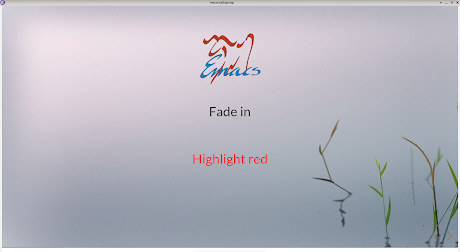
If you have xwidget webkit support in Emacs, you can run reveal.js presentation / slideshow within Emacs. RevealJs uses HTML. Hence you can make your presentation as fancy as you'd like with CSS and JS. Hopefully, this will save you from learning one more piece of software. The screenshot shows maximized mode. However, you should preferably run in fullscreen mode. You might want to get rid of redundant screen elements using the prez-mode function below.   (defun prez-mode ()   (interactive)   (delete-other-windows)   (setq mode-line-format nil     header-line-format nil)   (menu-bar-mode -1)   (tool-bar-mode -1)   (scroll-bar-mode -1)   (toggle-frame-fullscreen))  

Your browser is spying on you

Image
It should come as no surprise that websites are snooping on its users. However what baffled me was that the browsers ( Mozilla Firefox, webkit and probably others) have joined their team. If your browser supports the navigator.sendBeacon() API, you should dump it right away (or atleast find a blocking mechanism).   API description from Firefox website     In the above screenshots, you can see the API in action for Webkit. Firefox doesn't even log these requests in developer console. The sad part - it's not easy to turn it off. For Firefox, you have to use some extension and hope it does what it advertises. This bug report says they don't even want to change the default. Even for Webkit which is supposedly just a rendering engine the way to turn it off is convoluted. You need to add a user script in the C code. Then in the user script JS, you need to override the function as below: navigator.sendBeacon = function(a){};   In comparison, look at this other API fo...

GNU Emacs: A configurable browser

Image
Now you can use GNU Emacs as a full featured browser. It uses webkit2gtk for rendering. Here's a short video demonstrating the features. Hit-a-hint Developer tools Features: - Adblock - Disabled tracking API (navigator.sendBeacon()) - Inline videos à la Youtube - Hit-a-Hint - Keyboard based navigation: left/right character for left/right scroll, prev/next line, prev/next page, beginning/end of buffer for top/end of page, +/-/z for zoom in/out/reset - Multi-input modes: single key interactive mode, line input mode via minibuffer and textarea input mode via new buffer - Password auto-fill and management via authinfo - Configurable Home page and search URL - Bookmarks - Download unsupported mime types - User script à la Tampermonkey / Greasemonkey - User styles - Developer tools / Web Inspector Finally you can have a browser as you want. Code: https://gitlab.com/atamariya/emacs/-/blob/dev/src/xwidget.c https://gitlab.com/atamariya/emacs/-/blob/dev/lisp/xwidget.el https://gitlab.com/a...

Build your own browser

Image
Build your own browser using GTK and webkit2. ./browser "http://www.google.com" To add content blocking, connect to the "decide-policy" signal and use webkit_policy_decision_ignore() . browser.c #include <gtk/gtkx.h> #include <webkit2/webkit2.h> int main(int argc, char* argv[]) {   // Initialize GTK+   gtk_init(&argc, &argv);   // Create an 800x600 window that will contain the browser instance   GtkWidget *window = gtk_window_new(GTK_WINDOW_TOPLEVEL);   g_signal_connect(window, "delete-event", gtk_main_quit, NULL);   gtk_window_set_default_size(GTK_WINDOW(window), 800, 600);        // Create a browser instance   WebKitWebView *webView = WEBKIT_WEB_VIEW(webkit_web_view_new());   gtk_container_add(GTK_CONTAINER(window), GTK_WIDGET(webView));   // Load a web page into the browser instance   webkit_web_view_load_uri(webView, argv[1]);   // Make sure the main window and all its contents are visib...