Posts

Showing posts with the label minix

GNU Emacs as a LISP interpreter
Image
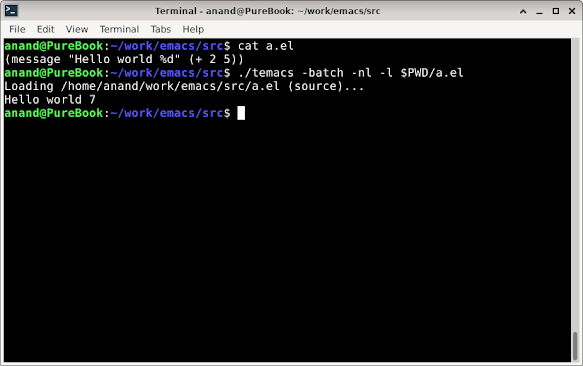
  After applying the following patch, you can run GNU Emacs as a standalone LISP interpreter for batch usage. It basically disables the command loop and non-essential symbols in batch mode.   temacs is Emacs sans any bootstrap elisp code. It is the first artifact generated during the Emacs build process. So you might not find it in your package installation. You can use the emacs binary too for the same effect - just understand that underneath they are not the same.   modified   src/keyboard.c @@ -1067,6 +1067,7 @@ command_loop (void)      while (1)        {      internal_catch (Qtop_level, top_level_1, Qnil); +    if (!noninteractive)      internal_catch (Qtop_level, command_loop_2, Qnil);      executing_kbd_macro = Qnil;   @@ -2631,9 +2632,9 @@ read_char (int commandflag, Lisp_Object map,    if (minibuf_level == 0  ...

Towards GNU/MINIX - Bootloader

Image
  GNU/MINIX = GNU Tools with MINIX kernel Repackage MINIX 3.3 kernel to boot with GRUB 2.06 MINIX CD has three partitions - boot, ramdisk image and usr filesystem image. It uses NetBSD bootloader and userland tools. $ sudo sfdisk -l minix.iso  Disk minix.iso: 577.53 MiB, 605581312 bytes, 1182776 sectors Units: sectors of 1 * 512 = 512 bytes Sector size (logical/physical): 512 bytes / 512 bytes I/O size (minimum/optimal): 512 bytes / 512 bytes Disklabel type: dos Disk identifier: 0x00000000 Device     Boot Start     End Sectors   Size Id Type minix.iso1          0   12287   12288     6M 81 Minix / old Linux minix.iso2      12288   82087   69800  34.1M 81 Minix / old Linux minix.iso3      82088 1182775 1100688 537.4M 81 Minix / old Linux   Extract files required for...

ELLE Looks Like Emacs

Image
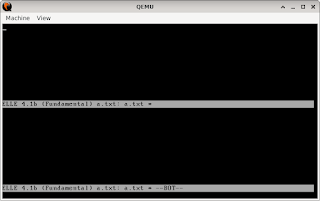
  If you like revisiting history, here's how you can run Elle on Minix. Download the minix image from https://github.com/davidgiven/minix2 . You can run the image in KVM. Login as root and run " elle file.txt ". # Install KVM and download image   sudo apt install qemu-kvm curl https://github.com/davidgiven/minix2/files/917987/minix-2.0-hd-64MB.img.gz -o minix-2.0-hd-64MB.img.gz gzip -d minix-2.0-hd-64MB.img.gz # Run the image in KVM kvm -hda minix-2.0-hd-64MB.img     Update software Compile the libraries, commands and kernel         a. # cd /usr/src         b. # make world   We need to update the bootloader as well.         a. # cd /         b. # mv boot boot.old         c. # cp /usr/mdec/boot .         d. # installboot -d /dev/c0d0p0s0 /usr/mdec/bootblock...